Search This Blog

Sunday, February 7, 2010

Kaspersky Internet Security 2009

Kaspersky Internet Security 2009

Today, threats to PCs are appearing in ever-greater numbers and diversity. Cyber criminals on the Internet are well organized and tend to target PCs with combined threats. A standalone antivirus solution is no longer e nough to fully protect your PC. Kaspersky Internet Security 2009 – the all-in-one security solution that offers a worry-free computing environment for you and your family. Kaspersky Internet Security 2009 has everything you need for a safe and secure Internet experience. Kaspersky Internet Security 2009 combines the benefits of the new antivirus engine, with its dramatically improved scanning speeds, and cutting-edge HIPS technology to block new malicious programs even before signatures have been added to the antivirus databases. Essential Protection: - Protects from all types of malware and spyware - Scans files, email messages and Internet traffic - Protects instant messengers (ICQ, MSN) - Updates automatically Extended Protection: - Two-way personal firewall - Safe Wi-Fi and VPN connections. New! - Intrusion prevention system Preventive Protection: - Intelligent application management and control. New! - Proactive protection from unknown threats - Scans OS and applications for vulnerabilities. New! - Disables links to malware sites. New! Identity Theft Protection: - Disables links to phishing websites - Virtual keyboard for safe entry of logins and passwords. New! - Prevents theft of data via secure connections (HTTPS / SSL). New! - Blocks unauthorized dial-up connections Content Filtering: - Parental control - Antispam protection

Saturday, February 7, 2009

Latest Actual Test - Microsoft All Exams

Credit to Original uploader:

I've downloaded all Microsoft Actualtests last week for those who are to lazy to do so:

Download Link:

Microsoft_Actualtests_Archive_10-04-2008.part1

Microsoft_Actualtests_Archive_10-04-2008.part2

Microsoft_Actualtests_Archive_10-04-2008.part3

Microsoft_Actualtests_Archive_10-04-2008.part4

70-290, dr simz and vce - Window 2003 Server

All you need to get 900+ points on the exam. The file consists of:
- dr simz
- TESTINSIDE 70-290 by.Dundar.Version_9.5_corrected.vce

The vce file has a great feature - it has EXPLENATIONS, so go ahead and try to understand the answers!

good luck!

Download Link:

mater_290

CBT-Upgrading Your MCDST Certification to MCITP Enterprise Support

Trainer: Timothy L. Warner
Running Time: 9 Hours

Will you have the professional-level certification you need when your current or future employer shifts from XP/Office 2003 to Vista/Office 2007?

Prepare for that future by upgrading from MCDST to MCITP certification.

You can get MCITP certified by passing just one Microsoft exam: 70-621. And with Tim Warner’s help you’ll do it. Tim has mapped each video in his latest training series to that test.

And while Tim’s training is preparing you for the exam, you’ll become a Vista-based Enterprise Support Technician — an expert in Vista deployment and application/network troubleshooting. Tim will show you how to:

  • Plan for and perform Vista installations
  • Perform post-installation configuration
  • Administer Vista security (user account control)
  • Configure Vista networking
  • Support built-in Vista Applications like Windows Mail and Windows Meeting Space
  • Maintain Vista with new Microsoft tools
  • Manage Vista mobile features like Tablet PC and Power Management
  • Troubleshoot Vista using support tools and methodologies

70-621 is a composite exam developed from 70-620 and 70-622. Tim has passed the 70-621 exam, has carefully reviewed all of Microsoft’s review materials for the 70-621 and its two source tests and distilled everything he’s learned down to the exam’s essentials.

There are no holes in his training. The entire course was designed with your MCITP certification in mind.

Microsoft Windows Vista: Upgrading Your MCDST Certification to MCITP Enterprise Support Exam-Pack 70-621 Contents:

  • Course Overview
  • Installing Windows Vista, Part 1
  • Installing Windows Vista, Part 2
  • Performing Post-Installation Configuration, Part 1
  • Performing Post-Installation Configuration, Part 2
  • Administering Windows Vista Security, Part 1
  • Administering Windows Vista Security, Part 2
  • Configuring Windows Vista Networking, Part 1
  • Configuring Windows Vista Networking, Part 2
  • Supporting Built-In Applications, Part 1
  • Supporting Built-In Applications, Part 2
  • Maintaining Windows Vista, Part 1
  • Maintaining Windows Vista, Part 2
  • Managing Windows Vista Mobile Features, Part 1
  • Managing Windows Vista Mobile Features, Part 2
  • Troubleshooting Windows Vista, Part 1
  • Troubleshooting Windows Vista, Part 2

Here’s what you’ll learn in each video of the Microsoft Windows Vista: Upgrading You MCDST Certification to MCITP Enterprise Support (Exam -Pack 70-621) series:

Video #1 - “Course Overview” - In this introductory nugget we set the stage for the rest of the series. Specifically, we define the term “enterprise support technician” as well as the myriad roles an EST actually performs in the IT industry. Next we examine this series from a “bird’s eye” perspective so you can gain an excellent conceptual understanding of the course. Finally, we take a long, detailed look at the 70-621 exam, and how this series can help you attain your goal of upgrading your MCDST certification to the MCITP in Enterprise Support. Topics include:

  • What is an Enterprise Support Technician?
  • Course Overview
  • Understanding the 70-621 Exam

Video #2 - “Installing Windows Vista Part 1″ - In this nugget we lay the foundation for the rest of the nugget series. First we must understand what design decisions went into Vista’s development. Next, we consider the planning and implementation requirements for performing clean and upgrade installations of Windows Vista. This nugget contains lots of practical advice as well as “exam alert” tips. Topics include:

  • Understanding Windows Vista
  • Planning and Performing a Clean Installation
  • Planning and Performing an Upgrade Installation

Relevant Exam Objectives

  • Installing Windows Vista
  • Identifying System Requirements
  • Upgrading from Earlier Version of Windows

Video #3 - “Installing Windows Vista Part 2″ - In this nugget we examine how companies can perform mass/automated deployments of Windows Vista. By necessity, this involves some discussion of the Business Desktop Deployment (BDD) tools, Windows Pre-installation Environment (PE), and Lite Touch/Zero Touch installation methodologies. Next we learn how to cleanly migrate user state data during refresh (wipe and load) and in-place upgrade Vista installation scenarios. Windows Product Activation 2.0 is a big advancement in the Microsoft OS licensing front, so we’ll learn how that works. Finally, we will discuss effective troubleshooting techniques for resolving installation problems with Windows Vista. Topics include:

  • Understanding the Windows Vista Deployment Process
  • Administering User State Migration
  • Troubleshooting Windows Product Activation
  • Troubleshooting Installation Problems

Relevant Exam Objectives

  • Deploying from a Custom Image
  • Troubleshooting Installation Issues

Video #4 - “Performing Post-Installation Configuration Part 1″ - By now we have performed our initial installation of Windows Vista; where do we go from here? Well, we start by understanding how to install, upgrade, configure, and maintain device drivers. We then learn the “ins and outs” of that fancy new user interface (UI) in Vista known as Aero. Although Parental Controls are available only in consumer editions of Windows Vista, they sometimes come in handy for small office environments. To that end, we will learn how to control and monitor user behavior with this tool. Finally, we dive into the built-in accessibility options in Vista to assist those with vision, hearing, or fine motor difficulties have a more enjoyable and productive experience with the Windows Vista OS. Topics include:

  • Managing Device Drivers
  • Configuring Windows Aero
  • Administering Parental Controls
  • Configuring Accessibility Options

Relevant Exam Objectives

  • Configuring and Troubleshooting Post-Installation System Settings
  • Troubleshooting Post-Installation Configuration Issues
  • Configuring and Troubleshooting Windows Aero
  • Configuring and Troubleshooting Parental Controls

Video #5 - “Performing Post-Installation Configuration Part 2″ - Internet Explorer 7.0 is a vast improvement over IE 6.0 with respect to security and overall useability. In this nugget we examine some of these new features in IE 7.0 in great detail. We also learn all about User Account Control (UAC), the much-loved (or hated, depending upon your perspective) new user account security feature built into Windows Vista. UAC and IE 7.0 are covered extensively on the 70-621 exam, so these topics in particular are crucial for your certification exam success. Topics include:

  • Configuring Internet Explorer 7.0
  • Administering User Account Control (UAC)
    • Configuring Windows Internet Explorer
    • Managing Local Security Policy
    • Configuring Windows Defender
    • Configuring and Troubleshooting User Account Control
    • Configuring and Troubleshooting Windows Defender
    • Troubleshooting Security Configuration Issues
    • Troubleshooting Authentication Issues
    • Configuring Windows Firewall
    • Enabling BitLocker Drive Encryption
    • Troubleshooting Security Configuration Issues
    • Configuring Security Settings in Windows Firewall
    • Configuring BitLocker
    • Configuring Networking
    • Managing Network Services
    • Troubleshooting Network Protocols
    • Configuring Remote Access
    • Configuring and Troubleshooting Networking
    • Configuring and Troubleshooting Network Protocols and Services
    • Configuring and Troubleshooting Remote Access
    • Troubleshooting Connectivity Issues
    • Troubleshooting Access to Network Resources
    • Using the Network and Sharing Center
    • Configuring Wireless Access
    • Administering Network Security
    • Configuring and Troubleshooting Wireless Networking
    • Configuring Network Security
    • Troubleshooting Access to Network Resources
    • Using the Network and Sharing Center to Configure Networking
    • Troubleshooting Connectivity Issues
    • Configuring Media Applications
    • Administering Windows Mail
    • Managing Windows Meeting Space
    • Configuring and Troubleshooting Media Applications
    • Configuring Windows Mail
    • Configuring Windows Meeting Space
    • Using Windows Calendar [calendar subscription update intervals]
    • Configuring Windows Fax and Scan [create new fax account]
    • Managing Windows Sidebar [discuss sideshow;close sidebar;move to other side of screen]
    • Configuring Windows Calendar
    • Configuring Windows Fax and Scan
    • Configuring Windows Sidebar
    • Configuring Event Forwarding
    • Administering the Task Scheduler
    • Managing and Maintaining Systems that are Running Windows Vista
    • Configuring and Managing the Task Scheduler
    • Configuring and Troubleshooting Event Forwarding
    • Troubleshooting Performance and Reliability
    • Applying Updates
    • Administering Data Protection
    • Troubleshooting Performance and Reliability Issues
    • Applying and Troubleshooting Updates
    • Configuring Data Protection
    • Understanding Mobile Computing
    • Configuring Display Settings
    • Using the Sync Center
    • Configuring and Troubleshooting Mobile Computing
    • Configuring Mobile Display Settings
    • Configuring Mobile Devices
    • Managing Power Options
    • Configuring Tablet PC Options
    • Configuring Tablet PC Software
    • Configuring Power Options
    • Understanding Troubleshooting Methodology
    • Performing Remote Troubleshooting
    • Troubleshooting the Operating System
    • Configure and troubleshoot access to resources
    • Troubleshoot authentication issues
    • Troubleshooting Policy Settings
    • Troubleshooting Device Drivers
    • Managing Printers
    • Configure and troubleshoot access to resources
    • Troubleshooting Policy Settings

    Relevant Exam Objectives

    Video #6 - “Administering Windows Vista Security Part 1″ - Ah, Group Policy! In this nugget we examine the local “flavor” of Group Policy, paying specific attention to (a) some of the enhancements to GP that Vista brings to the table; and (b) how the local security policy can be leveraged to reduce the attack surface of a Windows Vista computer. The second half of this nugget deals with Microsoft’s on-board antimalware tool, Windows Defender. Again, Defender is a hot topic on the 70-621 exam, so listen closely and learn thoroughly! Topics include:

    Relevant Exam Objectives

    Video #7 - “Administering Windows Vista Security Part 2″ - As Windows Firewall was an excellent extension to Windows XP in the Service Pack 2 release, so is the Windows Firewall with Advanced Security tool a wonderful addition to Windows Vista. In this nugget, we learn how to manage this full-featured software firewall that gives us (among many other things) bi-directional stateful packet inspection functionality to our OS. The other “centerpiece” of this nugget is BitLocker drive encryption. You will learn how the technology works, and then watch a demo that makes understanding BitLocker a snap. Topics include:

    Relevant Exam Objectives

    Video #8 - “Configuring Windows Vista Networking Part 1″ - In this nugget we compare and contrast local-area and wide-area networking from Windows XP to Windows Vista. Perhaps the biggest change from XP to Vista with regard to networking is the Network and Sharing Center, which is introduced in this nugget. Additionally, we consider the basics of setting up both LAN and WAN connections in Vista and performing network troubleshooting. Topics include:

    Relevant Exam Objectives

    Video #9 - “Configuring Windows Vista Networking Part 2″ - In this nugget we continue our journey through the wild and wooly world of Windows Vista networking. Here we examine in much greater detail the inner workings of the Network and Sharing Center, and configure discovery options and resource sharing. Because we are enterprise support technicians, we must also consider the built-in networking troubleshooting tools that are included in Windows Vista, and learn how to use them to solve network-related issues. Topics include:

    Relevant Exam Objectives

    Video #10 - “Supporting Built-In Applications Part 1″ - In this nugget we consider the first-party applications that are bundled with the Windows Vista operating system. First we take a look at media applications: Windows Media Player and Windows Media Center. Next we learn how to manage two current-gen replacements for older technologies: Windows Mail, which is the successor to Outlook Express; and Windows Meeting Space, which is the successor to NetMeeting. Topics include:

    Relevant Exam Objectives

    Video# 11 - “Supporting Built-In Applications Part 2″ - Topics include:

    Relevant Exam Objectives

    Video #12 - “Maintaining Windows Vista Part 1″ - The Windows Vista Product Team made some great functionality changes to both the age-old Event Viewer as well as the Task Scheduler. In this nugget we deep-dive into configuring event forwarding, in which we can “subscribe” to some or all event log data from one or more remote Windows Vista workstation computers. We will also examine the greatly enhanced Task Scheduler, and learn both how to get around in the tool as well as what types of related questions we can expect to see on the 70-621 exam. Topics include:

    Relevant Exam Objectives

    Video #13 - “Maintaining Windows Vista Part 2″ - If you have used the Performance console in Windows XP, then you are in for a treat. In this nugget we work with the new Reliability and Performance Monitor tool to obtain a detailed picture with regard to a Windows Vista computer’s system health. We also contrast how Windows Update and Automatic Update work in Windows Vista vis-a-vis Windows XP. Finally, we take control of data protection by understanding the Encrypting File System, or EFS. Topics include:

    Relevant Exam Objectives

    Video #14 - “Managing Windows Vista Mobile Features Part 1″ - The Microsoft Windows Vista Product Team did a great job at improving the operating system’s performance and behavior when it is run on mobile computers. In this nugget we first define our terms (for instance, what exactly IS a “mobile computer”?). Next, we manage display settings to maximize battery life as well as to make our laptop more flexible when giving presentations. We also consider the new Windows Vista Sync Center, which constitutes a single, unified interface for all of your device-PC and PC-device synchronization pairings. Topics include:

    Relevant Exam Objectives

    Video #15 - “Managing Windows Vista Mobile Features Part 2″ - In this nugget we continue our discussion of Windows Vista features designed with mobile computers in mind. Specifically, we cover power options, which represents a significant portion of the 70-621 upgrade exam. We also learn about Tablet PC functionality in Windows Vista. For instance, you might be surprised to learn that we no longer are required to purchase a specific edition of Windows Vista to enjoy Tablet PC features. Topics include:

    Relevant Exam Objectives

    Video #16 - “Troubleshooting Windows Vista Part 1″ - Topics include:

    Relevant Exam Objectives

    Video #17 - “Troubleshooting Windows Vista Part 2″ - Topics include:

    Relevant Exam Objectives

All trademarks and copyrights are the property of their respective holders

Download

cbt.mswi.n.vizta_exzam706.21.part01

cbt.mswi.n.vizta_exzam706.21.part02

cbt.mswi.n.vizta_exzam706.21.part03

cbt.mswi.n.vizta_exzam706.21.part04

cbt.mswi.n.vizta_exzam706.21.part05

cbt.mswi.n.vizta_exzam706.21.part06

cbt.mswi.n.vizta_exzam706.21.part07

cbt.mswi.n.vizta_exzam706.21.part08

cbt.mswi.n.vizta_exzam706.21.part09

cbt.mswi.n.vizta_exzam706.21.part10

cbt.mswi.n.vizta_exzam706.21.part11

cbt.mswi.n.vizta_exzam706.21.part12

Password default : booktraining.net

CBT Planning and Maintaining a Microsoft Windows Server 2003 Network Infrastructure

Image

This training focuses on how to design and plan for a Windows Server 2003 network infrastructure. You’ll learn about a variety of networking topics as well as numerous options available from Microsoft such as Terminal Services and Software Update Services. Security features in Server 2003 have been significantly upgraded from Server 2000 and this training covers security templates, remote authentication, private keys, smart cards, wireless security and the Microsoft Baseline Security Analyzer.

Instructor James Conrad is one of the leading experts on Server 2003 and provides numerous tips, tricks and real-world examples to help you learn the technology as well as put it to use. James delivers the material with a quick-wit and easy going style that makes it easy to comprehend complex topics.

There are 27 videos providing more than 13 hours of instruction. A basic understanding of computers and networking, such as the A+/Network+ Combo Pack, as well as the material covered in Exam-Packs 70-290 and 70-291 is recommended before viewing this training.

Exam Pack 70-293 Contents:

- Series Intro
- Operating Systems and Server Roles
- Security Settings
- Security Settings and GPO
- Security Templates
- Network Planning and Design
- TCP/IP Planning: Addresses and Subnetting
- IP Configuration
- Internet Connectivity
- Routing: Static, RIP, and OSPF
- Remote Access Authentication & Policies
- WINS
- DNS Part 1
- DNS Part 2
- Private Key Infrastructure Part 1
- Private Key Infrastructure Part 2
- Enrollment
- Smart Cards
- Wireless Security Part 1
- Wireless Security Part 2
- IPSec Part 1
- IPSec Part 2
- Performance, Network Load-Balancing, Clustering Part 1
- Network Load-Balancing, Clustering Part 2
- Microsoft Baseline Security Analyzer, Software Update Services
- Remote Assistance and Terminal Services
- System Recovery

Microsoft is a registered trademark of Microsoft Corporation

Download:

70293.win.srv.03.nwt.infas.cbt.part01

70293.win.srv.03.nwt.infas.cbt.part02

70293.win.srv.03.nwt.infas.cbt.part03

70293.win.srv.03.nwt.infas.cbt.part04

70293.win.srv.03.nwt.infas.cbt.part05

70293.win.srv.03.nwt.infas.cbt.part06

70293.win.srv.03.nwt.infas.cbt.part07

70293.win.srv.03.nwt.infas.cbt.part08

70293.win.srv.03.nwt.infas.cbt.part09

70293.win.srv.03.nwt.infas.cbt.part10

70293.win.srv.03.nwt.infas.cbt.part11

70293.win.srv.03.nwt.infas.cbt.part12

70293.win.srv.03.nwt.infas.cbt.part13

Password default : booktraining.net

CBT Nuggets-Planning, Implementing, and Maintaining a Microsoft Windows Server 2003 Active Directory Infrastructure

Image

Active Directory is one of the most compelling features of Windows Server 2003 and this training teaches you how to install, configure and manage an Active Directory infrastructure. You’ll learn how to plan and implement user and group security and policies, troubleshooting and replication.

Instructor James Conrad is one of the leading experts on Server 2003 and provides numerous tips, tricks and real-world examples to help you learn the technology as well as put it to use. James delivers the material with a quick-wit and easy going style that makes it easy to comprehend complex topics.

There are 17 videos providing more than 9 hours of instruction. A basic understanding of computers and networking, such as the A+/Network+ Combo Pack, as well as the material covered in Exam-Packs 70-290 and 70-291 is recommended before viewing this training.

Exam Pack 70-294 Contents:

- Series Intro
- Active Directory Introduction
- Installing Active Directory
- Functional Levels
- The Schema
- User Principal Names and Trusts
- The Global Catalog and Universal Group Caching
- Operations Master Roles
- Replication
- Sites
- Active Directory Tools
- User Authentication
- Security Groups
- Organizational Units
- Group Policy Part 1
- Group Policy Part 2
- Group Policy Part 3

Microsoft is a registered trademark of Microsoft Corporation

Download

70_294.plan.maint.o3.AD.infras.part01

70_294.plan.maint.o3.AD.infras.part02

70_294.plan.maint.o3.AD.infras.part03

70_294.plan.maint.o3.AD.infras.part04

70_294.plan.maint.o3.AD.infras.part05

70_294.plan.maint.o3.AD.infras.part06

70_294.plan.maint.o3.AD.infras.part07

70_294.plan.maint.o3.AD.infras.part08

70_294.plan.maint.o3.AD.infras.part09

Password default : booktraining.net

Winstructor - 70-291 Implementing, Managing, and Maintaining a Microsoft Windows Server 2003 Network Infrastructure

Exam 70-291 contains the following Training Videos:

DHCP Server
Duration: 28:21
In this Video we demonstrate how to Create a DHCP Server on a Windows 2003 Server. We cover Installing, Configuring, Backing Up, Restoring and Troubleshooting your DHCP Server.

DHCP Relay Agent
Duration: 3:55
In this Video we demonstrate how to Create a DHCP Relay Agent on a Windows 2003 Server, so your clients on a Remote Network Segment can be issued with a Dynamic IP Address.

Introduction and Installing DNS
Duration: 11:58
In this Video we Introduce you to DNS and its hierarchical structure. We then Install DNS on a Windows 2003 Server and demonstrate its ability to resolve host names immediately.

DNS Resolution
Duration: 8:24
In this Video we discuss DNS Resolution in detail. We show you exactly what happens when a client computer needs to resolve a Hostname to an IP Address.

DNS Zones
Duration: 26:31
In this Video we create Forward and Reverse Lookups on Primary, Secondary, Stub and Active Directory Integrated Zones. We discuss why you’d choose one Zone type over another and end with a demonstration on Delegating DNS.

DNS Records
Duration: 38:21
In this Video we demonstrate how to Create DNS Records on a Windows 2003 Server and discuss the various types of DNS Records, as well as experimental and records that are coming in the future.

Administering DNS
Duration: 30:01
In this Video we show you how to Administer a DNS Server. As DNS is the foundation of your Active Directory Infrastructure, you need to make sure that DNS is working properly. We show you how!

Download

win.structer.winsrv.03.netwrk.infras.part01

win.structer.winsrv.03.netwrk.infras.part02

win.structer.winsrv.03.netwrk.infras.part03

win.structer.winsrv.03.netwrk.infras.part04

win.structer.winsrv.03.netwrk.infras.part05

win.structer.winsrv.03.netwrk.infras.part06

win.structer.winsrv.03.netwrk.infras.part07

win.structer.winsrv.03.netwrk.infras.part08

Password default : booktraining.net

Friday, February 6, 2009

Windows Server 2008 TCP/IP Protocols and Services

Windows Server 2008 TCP/IP Protocols and Services
ISBN: 9780735624474 | 650 pages | 2008-01-19 | PDF
This in-depth technical reference delivers must-know information on TCP/IP for any IT professional working with Windows Server 2008 and Windows Vista
operating systems. This comprehensive guide starts with the fundamentals, delivering coverage of TCP/IP protocols layer by layer to help build mastery of
protocols and their implementation. It focuses on Internet layer protocols such as IP, ICMP, IGMP, and includes a preview of IPv6; transport layer protocols
such as TCP and UDP; and application layer protocols such as DNS, DHCP, and WINS. Written by a leading TCP/IP author, plus peer reviews from experts on the Windows ® Networking Team, this is the definitive guide to TCP/IP for Windows Server 2008. Features a companion CD with a fully searchable eBook and other resources.
Key Book Benefits:
- Provides practical and in-depth information on important protocols in the TCP/IP protocol suite and services for Windows Server 2008
- Delivers comprehensive coverage of TCP/IP protocols layer by layer for building mastery
- Includes ample illustrations, tables, and example traces of TCP/IP packets
- Features a companion CD with a fully searchable eBook and other resources

Download Link:

Windows Server 2008 TCP/IP Protocols and Services

Thursday, February 5, 2009

Server 2008 Usefull Ebooks

Download Link:

6415A Networking in Server 2008.rar

416A Active Directory in Server 2008.rar

6417A App Platforms in Server 2008.rar

6424A Server 2008 AD.rar

6425A Configuring Server 2008 AD DS.rar

IIS 7 Overview.rar

MS Press Introducing SRV 2008.rar

NAP Platform Architecture.rar

Server 2008 a Beginner's Guide.rar

Server Manager & PowerShell.rar

Sybex Administering Server 2008 Server Core.rar

Terminal_services.rar

Troubleshooting IIS 7.rar

Microsoft.CertKiller.70-649.v2008-10-23.370q.vce

Download Link:

Microsoft.CertKiller.70-649.v2008-10-23.370q.vce

Syngress.The.Real.MCTS.MCITP.Exam.70-649.Prep.Kit.Mar.2008

Download Link:

SyngressTheRealMCTSMCITPExam70-649PrepKitMar2008

CBTNuggets 70-649 MCSE 2003 upgrade to MCITP 2008

Protect your MCSE 2003 investment!

Are you an MCSE 2003 looking to administer Windows Server 2008? Then you need the fastest possible route to MCITP certification. Tim Warner’s Windows Server 2008 training gives you exactly that.
Passing the Windows Server 2008 70-649 exam offers you a certification bonanza. 70-649 is a composite, multiple-choice exam -- with questions drawn from three other Server 2008 tests. (There are no simulations or interactive questions.) Passing it immediately earns you three MCTS certifications:
    * Windows Server 2008 Active Directory Configuring 70-640
    * Windows Server 2008 Network Infrastructure Configuring 70-642
    * Windows Server 2008 App/Infrastructure Configuring 70-643
What’s more, after passing the (70-649) you’re poised to quickly complete both of the following MCITP certifications:
    * MCITP Server Administration
    * MCITP Enterprise Administration
You can earn MCITP Server Administration certification by passing just one additional exam:
    * Windows Server 2008: Server Admin. 70-646 We are developing training for this exam (estimated availability: 2nd quarter 2009 -- or before).
You can earn MCITP Enterprise Administrator Certification by passing just two additional exams:
    * Windows Server 2008 Enterprise Administrator 70-647 We are developing training for this exam (estimated availability: 2nd quarter 2009 -- or before)
    * Either Microsoft Windows Configuring 70-620
      or Deploying and Maintaining Windows Vista Client 70-624. We offer training for both, but Tim recommends 70-620 as the easier exam.

Download Link (CBTNuggets):

 Upgrading_MCSE_on_2003_to_Windows_Server_2008_70-649.part01

Upgrading_MCSE_on_2003_to_Windows_Server_2008_70-649.part02

Upgrading_MCSE_on_2003_to_Windows_Server_2008_70-649.part03

Upgrading_MCSE_on_2003_to_Windows_Server_2008_70-649.part04

Upgrading_MCSE_on_2003_to_Windows_Server_2008_70-649.part05

Upgrading_MCSE_on_2003_to_Windows_Server_2008_70-649.part06

Upgrading_MCSE_on_2003_to_Windows_Server_2008_70-649.part07

TrainSignal: Exchange-Server-2007-Training

TrainSignal: Exchange-Server-2007-Training - This is a two disk set

Download Link:

TrainSignal_Lab_35_Exchange_2007.part01

TrainSignal_Lab_35_Exchange_2007.part02

TrainSignal_Lab_35_Exchange_2007.part03

TrainSignal_Lab_35_Exchange_2007.part04

TrainSignal_Lab_35_Exchange_2007.part05

TrainSignal_Lab_35_Exchange_2007.part06

TrainSignal_Lab_35_Exchange_2007.part07

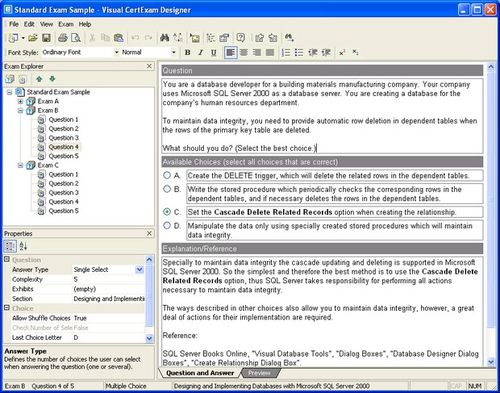
Visual.CertExam.Suite.v1.9.985 NEW (Required to run .VCE Files), Virtual CertExam Suite (Required to run .VCE Files)

Follow the most recent version 1.9.985

Visual CertExam Suite (Manager + Designer)
Date Posted:
Feb 3, 2009
Version:
1.9.985
Operating Systems:
Windows 2000/XP/2003/Vista/2008

Download Link:

visual_certexam_suite_setup_1.9.985_by_andrenunes

Mirror Link:

visual_certexam_suite_setup_1.9.985_by_andrenunes

Wednesday, February 4, 2009

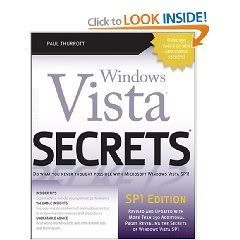
Windows Vista Secrets: SP1 Edition

 Windows Vista Secrets: SP1 Edition

Product Description

  • Follows the highly successful first edition with over 25% more content, including extensive coverage of the latest update, Service Pack 1
  • Addresses a huge market of consumers eager to learn about hidden gems and secrets in Vista and SP1
  • Covers features that are not disclosed in Microsoft’s books or help files
  • A highly connected and qualified author has gathered information from an extensive network of Windows beta testers and thousands of readers, as well as conducted his own experiments on the new OS
  • New chapters cover personalizing and configuring Vista, networking, Zune, Vista and ultra-mobile PCs, Windows Home Server, and many more new topics

Download Link:

Windows Vista Secrets: SP1 Edition

Password default: netbks.com

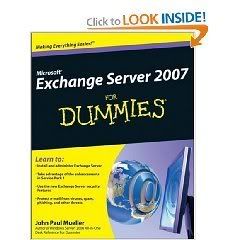
Microsoft Exchange Server 2007 For Dummies

 Microsoft Exchange Server 2007 For Dummies

Product Description
Microsoft Exchange Server 2007 was made to help you handle e-mail, meeting management, and other essential office services. Microsoft Exchange Server 2007 For Dummies helps you get a handle on Exchange Server. Pretty slick, huh?

Here’s the lowdown on installing and administering Microsoft Exchange Server 2007 and taking advantage of all the enhancements in Service Pack 1. With this handy guide, you’ll be able to maximize the security, reliability, and speed that Exchange Server 2007 provides.

  • Assess your organization’s needs to determine which edition of Exchange Server best meets them
  • Explore what Exchange Server does, then plan, install, and configure it
  • Consider how your users work with their mail and customize your set-up to facilitate their needs
  • Learn to use the Exchange Management Console
  • Use the new Exchange Server security features to protect e-mail from viruses, spam, phishing, and other threats
  • Set up an offline address book, use templates, and develop custom forms
  • Create settings for the most efficient interaction with clients, use multiple mailboxes, and view digital certificates
  • Manage resource scheduling and interactive calendars
  • Troubleshoot your configuration, perform regular maintenance, and be able to recover from mail-specific problems
  • Monitor Exchange Server performance and maintain databases, mail flow, and peak performance

Microsoft Exchange Server 2007 For Dummies gets you ready to exchange problems for solutions.

Download Link:

Microsoft Exchange Server 2007 For Dummies

Password default: netbks.com

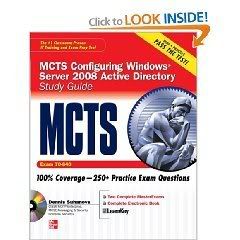
MCTS Windows Server 2008 Active Directory Services Study Guide (Exam 70-640)

MCTS Windows Server 2008 Active Directory Services Study Guide (Exam 70-640)

With hundreds of practice questions and hands-on exercises, MCTS Configuring Windows Server 2008 Active Directory Study Guide covers what you need to know-and shows you how to prepare-for this challenging exam.

100% complete coverage of all official objectives for exam 70-640

  • Exam Readiness Checklist at the front of the book–youAnd#39;re ready for the exam when all objectives on the list are checked off

  • Two-Minute Drills for quick review at the end of every chapter

  • Simulated exam questions match the format, tone, topics, and difficulty of the real exam

Covers all the exam topics, including:

Directory Services Andmiddot; DNS Andmiddot; AD DS Forest and Domain Structure Andmiddot; Global Catalog Servers Andmiddot; Flexible Single Master Operation Roles Andmiddot; AD DS Site Topology Andmiddot; Organizational Units and Delegation Andmiddot; Replication Andmiddot; Troubleshooting, Backup, and Recovery Andmiddot; Groups and User Accounts Andmiddot; User Authentication Andmiddot; Group Policy Andmiddot; AD Certificate Services Andmiddot; AD Federated Services Andmiddot; AD Lightweight Directory Service Andmiddot; AD Rights Management Service

Download Link:

MCTS Windows Server 2008 Active Directory Services Study Guide (Exam 70-640)

Password default: netbks.com

Tuesday, February 3, 2009

Great Hand on labs collection-Ebooks, Exchange,ISA

Download Link:

http://rapidshare.com/files/190911267/80211-deploy.pdf

http://rapidshare.com/files/190912055/adam-delete.pdf

http://rapidshare.com/files/190912061/ca-move.pdf

http://rapidshare.com/files/190912064/Captivate.pdf

http://rapidshare.com/files/190912096/ccc-2007-2.pdf

http://rapidshare.com/files/190912101/ccc-2007.pdf

http://rapidshare.com/files/190912066/cert-request.pdf

http://rapidshare.com/files/190912050/changetracking.pdf

http://rapidshare.com/files/190912069/cleartunnel.pdf

http://rapidshare.com/files/190912411/deactivated-account.pdf

http://rapidshare.com/files/190912423/domain-rename.pdf

http://rapidshare.com/files/190912409/ex2007-cluster.pdf

http://rapidshare.com/files/190912429/exchange2003.pdf

http://rapidshare.com/files/190912413/forestprep.pdf

http://rapidshare.com/files/190912427/full-index.pdf

http://rapidshare.com/files/190912552/http-filter.pdf

http://rapidshare.com/files/190912558/hyper-v-copy.pdf

http://rapidshare.com/files/190912085/ISA-ee-clone.pdf

http://rapidshare.com/files/190912062/ISA-Toolkit.pdf

http://rapidshare.com/files/190912070/ISABPA.pdf

MS_NET_Framework_2.0_application_Development_Foundation_-_MCTS_EXam_70-536

Here another self paced e-book for 70-536 exam
I hope it helps everyone to get deep understanding of .Net framework foundation

Download Link:

MS_NET_Framework_2.0_application_Development_Foundation_-_MCTS_EXam_70-536

MCITP-70-441 Design Database Solutions Training Kit Self Paced

Here is another Training Kit of Self Paced 70-441 Exam Book
I hope it helps for all who needs to know more about designing database solutions. SQL Server

Download Link:

MCITP-70-441 Design Database Solutions Training Kit Self Paced